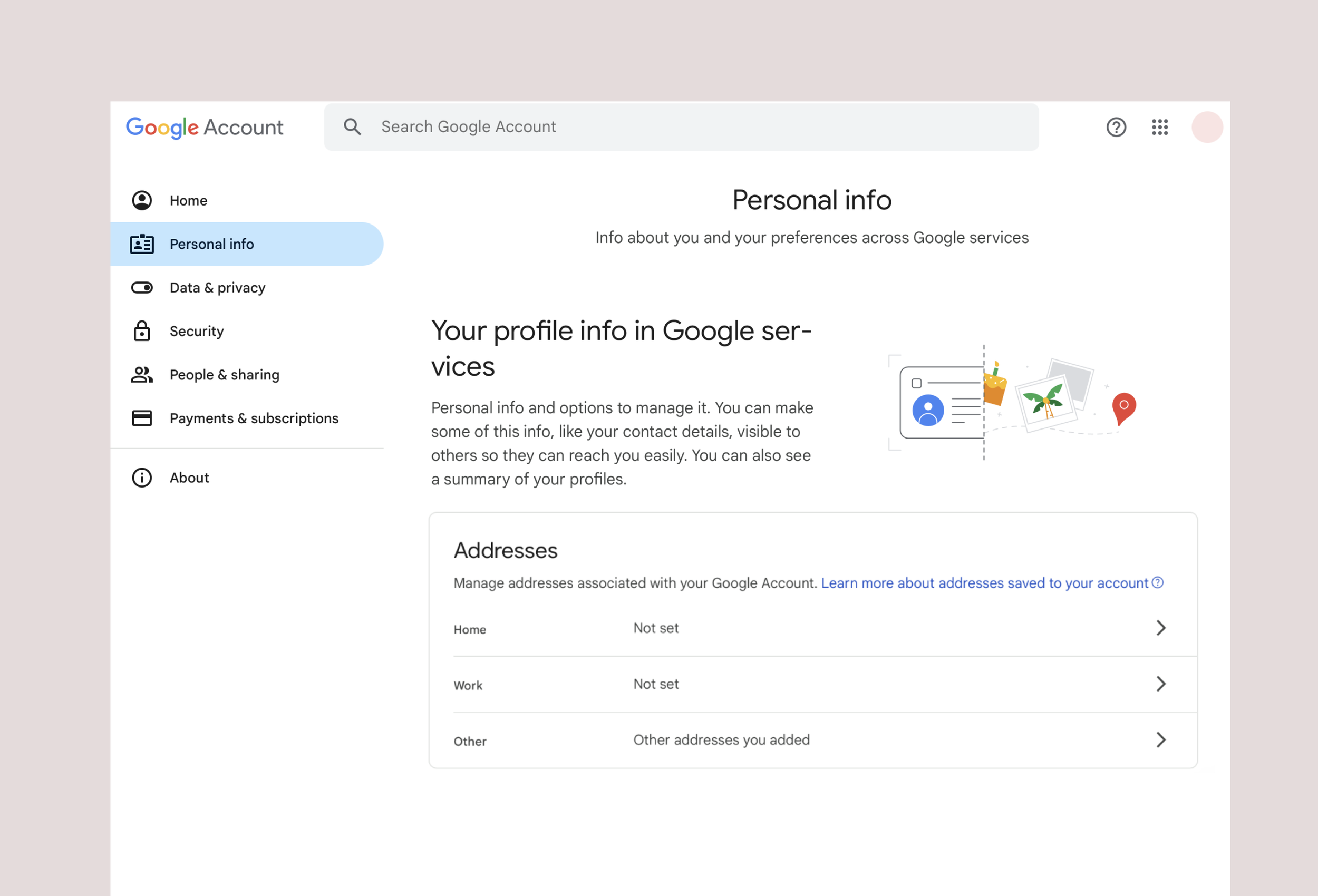
Addresses in Google Account
A centralized management experience for users’ addresses at Google, enabling users to manage their addresses across the ecosystem in one place
My Role
Interaction Designer— Designed UX and UI of management flows, representing the Identity team during xPA discussions
Team
Project Manager — Maria G.
Interaction Designers — Sarah B., Jan G.
FE Engineers — Google Account Team
The Problem
User addresses stored with Google were only usable to the product in which it was first stored, and did not intuitively carry over across the ecosystem.
For example, a user may add a Home address while checking out on Google Store, expecting that address to be selectable in Google Maps, but this was not the case.
Strategy & Concept
The larger goal of the Identity team is to deliver centralized management of various identity objects (addresses, Forms of Payment, DOBs, Government ID’s).
In order to deliver on such a large goal, the decision was taken to start with addresses, and concurrently establish a roadmap and template for delivering the remaining identity objects.
For address management, key management features were identified for our initial concept:
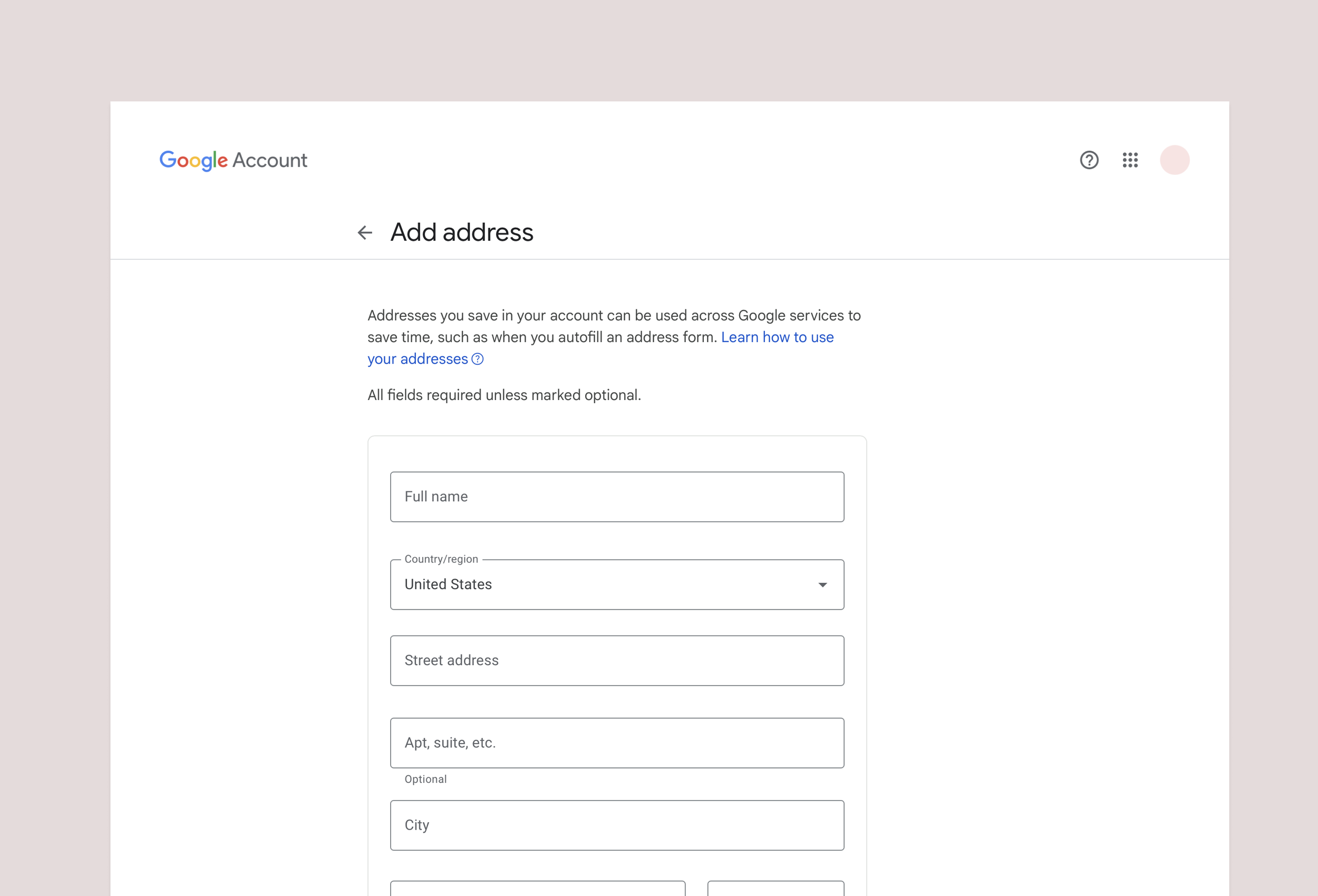
Add an address / Address Form
Users should be able to add new addresses within the management surface, and be able to use them later across the ecosystem
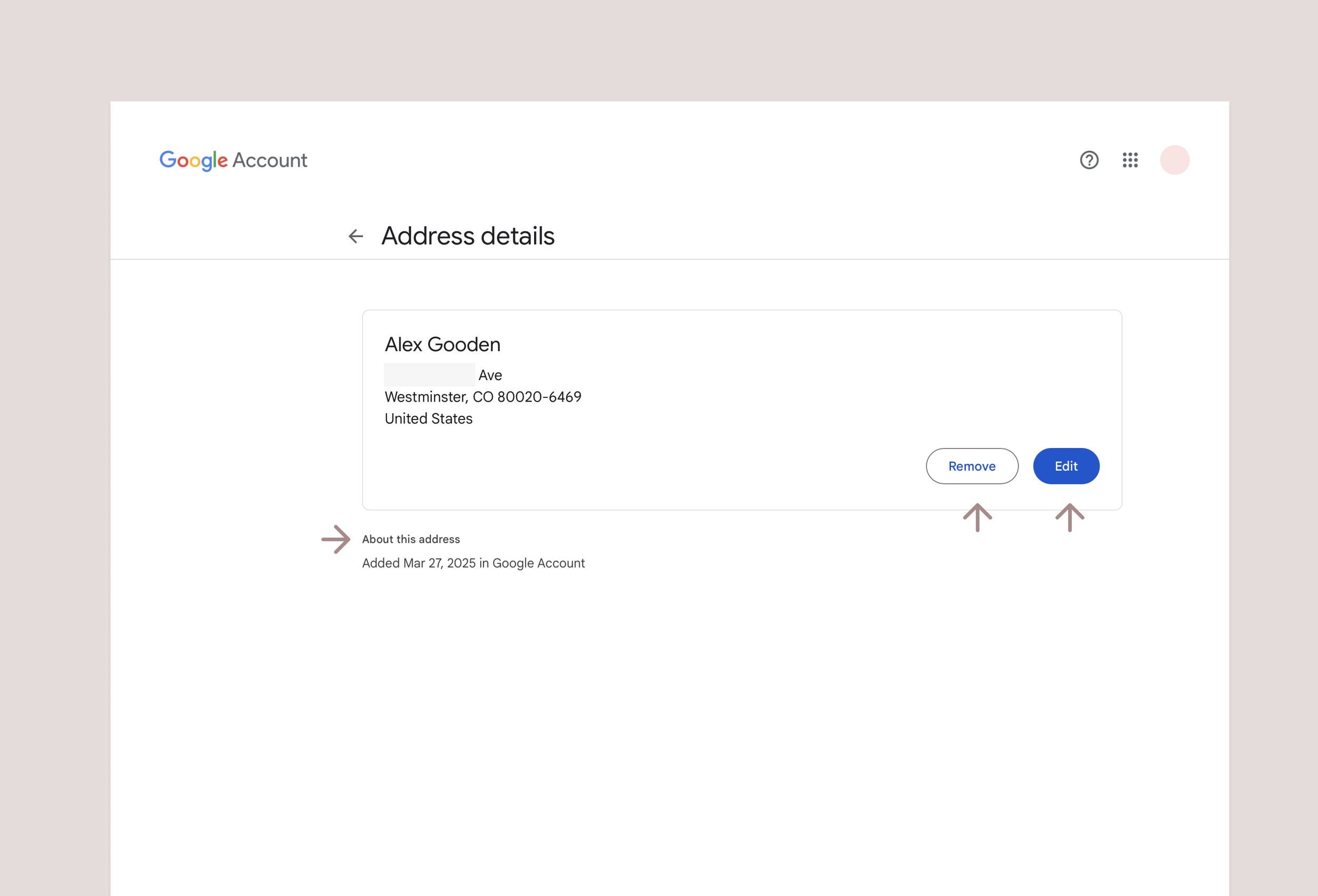
Address Details / Manage Address
Users should be able to edit or delete existing addresses within the management surface, and understand where an address was first added.
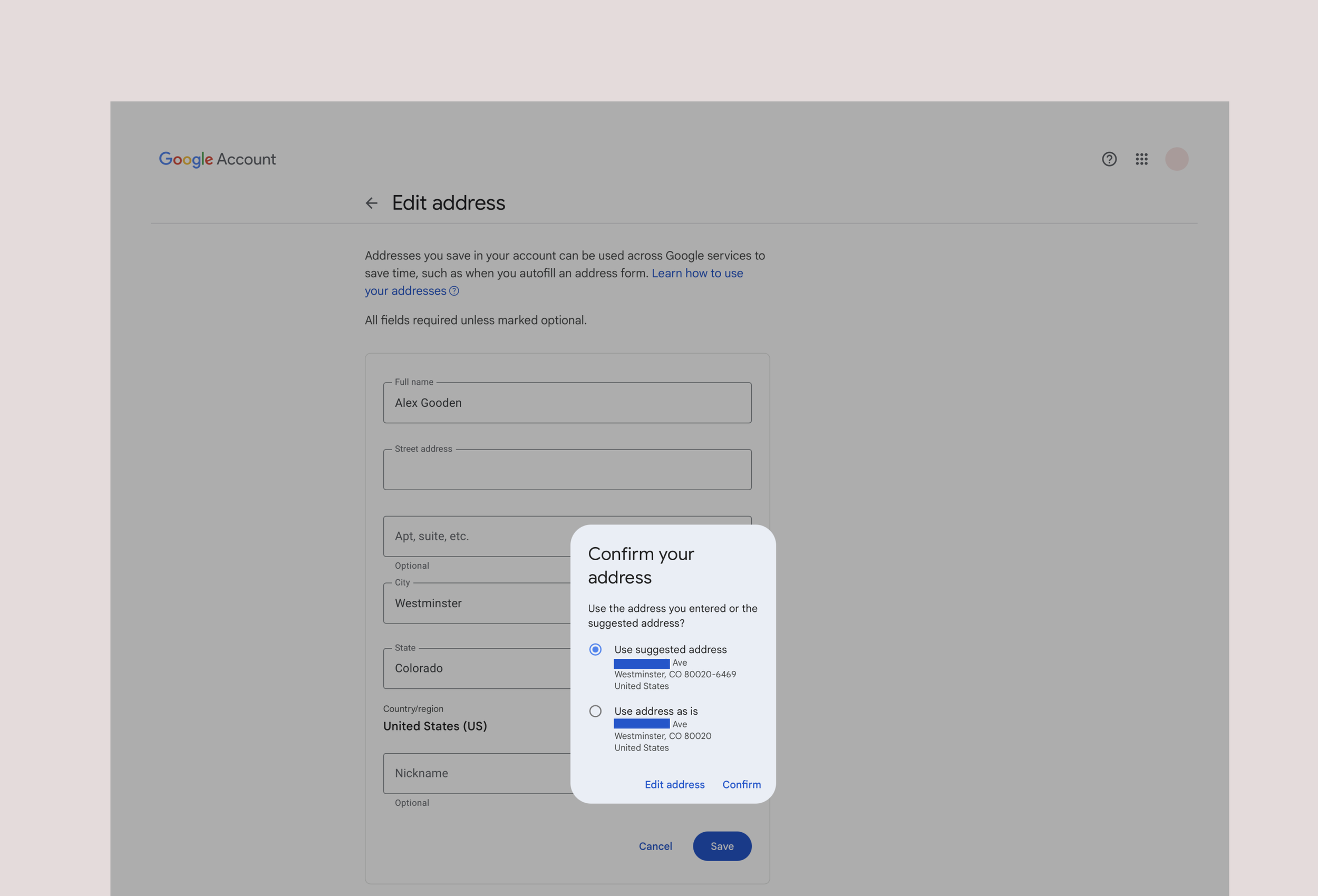
Address Normalization and other edge cases
The team also considered the various states in which a user may encounter the experience. To provide a robust experience, we included features like address normalization which provides the user a chance to verify a system verified address before proceeding, as well as a chance to override this data as needed.
User Testing
In order to validate our initial concept and gather feedback on decisions made, we conducted user testing on a prototyped experience.
We asked users to complete a number of tasks, and then solicited feedback on the user’s thoughts on the ease of use, visual presentation, as well as their understanding of how the experience could benefit them:
View an address you’ve previously saved
Add a new address for later use
Remove an address to prevent future use
Edit an existing address for future reuse
Iteration & Final Concepts
Outcomes:
Users generally appreciated the centralized nature of address management
Users were unaware of the ecosystem impacts
Users expected ecosystem propagation in most cases and expressed concern with error messages around lack of propagation
Users struggled with understanding “special” addresses— Legal, Profile, Home
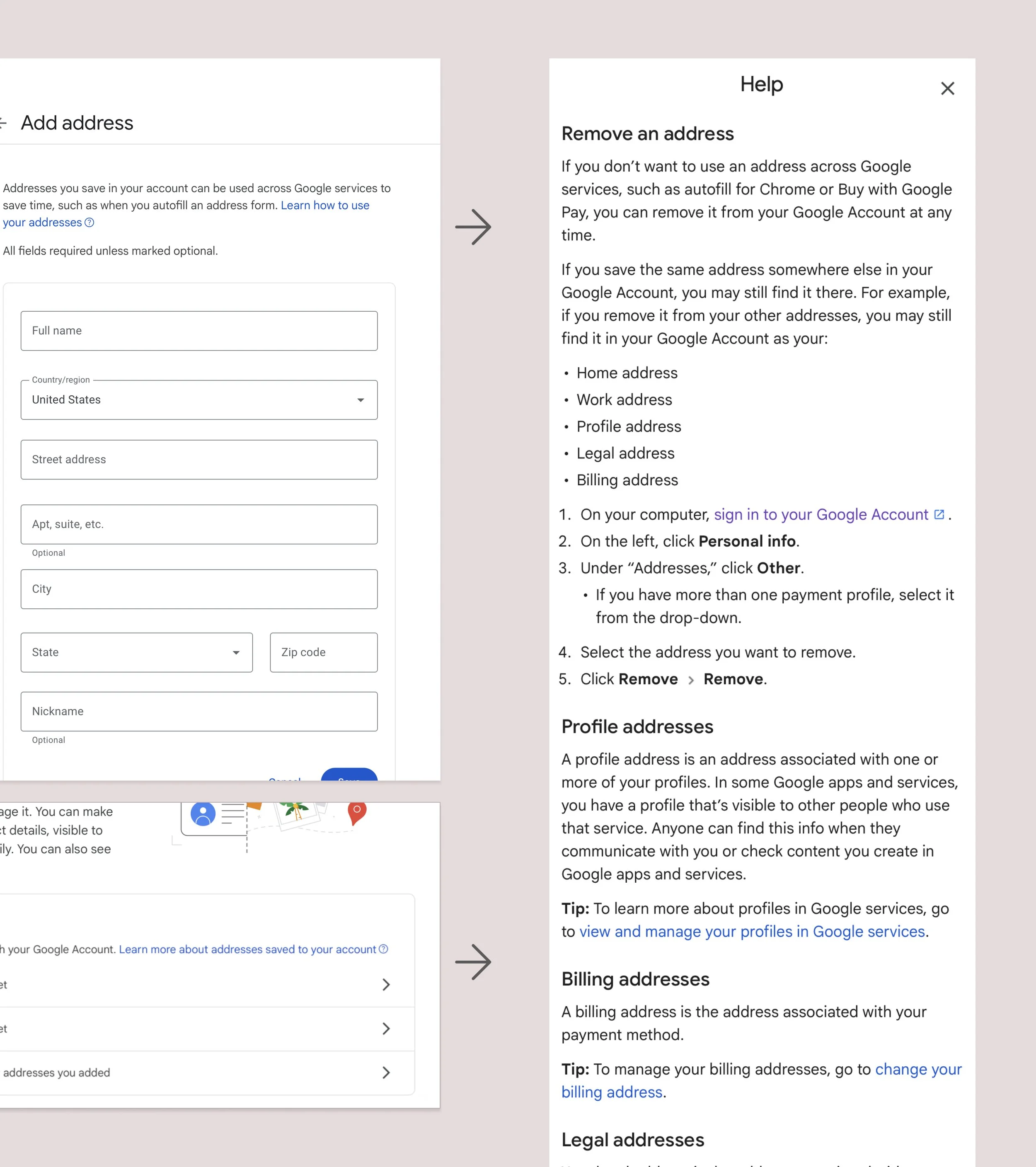
UX Enhancements
A help article was added as a reference point for users.
Management Options: We included step-by-step instructions on how to complete the major management flows
Address Definitions: To directly address user feedback, we included address definitions to help users understand how addresses are stored and used across the ecosystem
Outcomes & Takeaways
After extensive reviews with cross functional leaders and teams, our design was implemented in late 2024 on the Google Account surface, and serves as a template for future migrations of other personal attributes to Google Account.
Intuitive UX
We delivered an experience which allows users to manage data stored with Google in ways that are intuitive, and useful.
Scalable UX
Future attributes will be centralized in Google Account, and will likely follow similar patters for their experience and visual design, saving significant costs as compared with individually managing these attribute migrations